
Elevating Land Design Precision: The Ultimate Guide to Contour Mapping with AutoCAD Civil 3D
In modern civil engineering, surveying, and infrastructure planning, understanding the shape and elevation of land is essential for making informed decisions. Contour Mapping AutoCAD Civil3D has emerged as one of the most reliable and efficient methods for converting complex survey data into clear, accurate, and actionable topographical maps. Whether engineers are designing highways, planning residential developments, managing drainage systems, or evaluating construction sites, contour maps provide a visual representation of the terrain that simplifies decision-making.
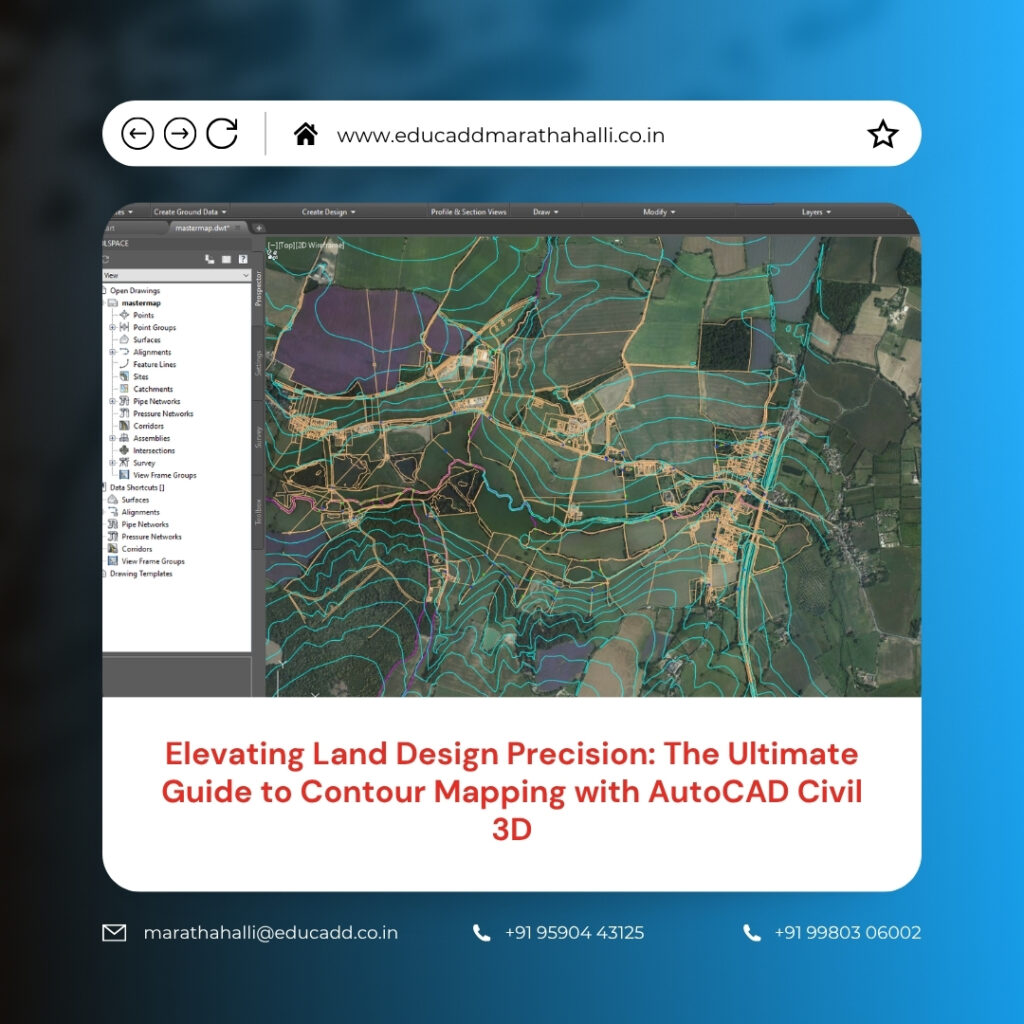
Contour Mapping AutoCAD Civil3D
AutoCAD Civil 3D enhances this process through intelligent modeling tools, automated workflows, and advanced surface analysis capabilities. As projects become more demanding and land development grows increasingly sophisticated, professionals require solutions that improve productivity while maintaining high levels of accuracy. This article explores the importance, methodology, benefits, and future of contour mapping in Civil 3D, providing a complete understanding of how this technology is revolutionizing terrain analysis and land design.
Understanding the Fundamentals of Contour Mapping
Contour Mapping AutoCAD Civil3D is the practice of representing land elevations through a series of contour lines that connect points of equal height above a common reference level. These lines allow engineers and surveyors to visualize the three-dimensional characteristics of a landscape on a two-dimensional drawing. Closely spaced contour lines indicate steep slopes, while wider spacing represents gentler terrain. Through contour maps, professionals can identify hills, valleys, ridges, depressions, and drainage paths with remarkable clarity.
This information becomes crucial during planning and design phases because terrain conditions directly influence construction methods, project costs, and environmental impacts. Without accurate contour mapping, designers may overlook critical land features that could create complications during execution. Therefore, contour maps remain one of the most important tools in land development and civil engineering projects.
The Growing Importance of AutoCAD Civil 3D in Terrain Modeling
Traditional contour mapping often required extensive manual drafting, calculations, and revisions. However, AutoCAD Civil 3D has transformed these processes by introducing intelligent design tools specifically developed for civil engineering applications. The software enables professionals to create dynamic surface models that automatically update whenever source data changes. This capability significantly reduces repetitive work while improving overall accuracy. Civil 3D combines survey data, point clouds, breaklines, and elevation information into comprehensive terrain models that can be analyzed from multiple perspectives.
Furthermore, the software integrates seamlessly with modern surveying technologies, making it easier to process large datasets efficiently. As infrastructure projects demand faster turnaround times and greater precision, Civil 3D continues to play a central role in modern terrain modeling workflows.
Collecting Accurate Survey Data for Reliable Results
Every successful contour map begins with accurate field data collection. Surveyors gather elevation information using advanced instruments such as total stations, GPS receivers, drones, and LiDAR scanners. The quality of the contour map depends heavily on the accuracy and completeness of this collected information. Before importing data into Civil 3D, professionals must carefully review survey points to identify inconsistencies, duplicates, or missing values.
Even small inaccuracies can influence the final terrain model and lead to incorrect design assumptions. By establishing strict quality control procedures during the data collection phase, project teams can create a reliable foundation for contour mapping. Accurate survey information ultimately reduces rework, improves project confidence, and supports more informed engineering decisions.
Building Intelligent Surface Models in Civil 3D
Once survey data has been collected and verified, the next step involves creating a Contour Mapping AutoCAD Civil3D. Surface models serve as digital representations of the existing terrain and form the basis for contour generation. The software typically uses a Triangulated Irregular Network, commonly known as a TIN surface, to connect elevation points and represent the land’s shape.
Each triangle contributes to the overall terrain model by defining relationships between adjacent survey points. This approach enables Civil 3D to represent complex landscapes accurately while maintaining efficient file performance. The resulting surface model becomes an intelligent object that supports contour creation, grading design, volume calculations, and numerous other engineering tasks throughout the project lifecycle.
Generating Contour Lines with Speed and Accuracy
One of the most valuable features of Civil 3D is its ability to automatically generate contour lines from surface models. After the terrain surface has been established, the software calculates elevation intervals and creates contour lines that accurately represent the landscape. Engineers can specify major and minor contour intervals depending on project requirements and map scale. The automation eliminates hours of manual drafting and ensures consistency throughout the design process.
Furthermore, Civil 3D continuously updates contour lines whenever modifications occur within the surface model. This dynamic behavior ensures that contour maps always reflect the latest design information. As a result, project teams can work more efficiently while maintaining confidence in the accuracy of their topographical representations.
Customizing Contour Displays for Enhanced Readability
A contour map is only effective if users can easily interpret the information it contains. Civil 3D provides extensive customization tools that allow professionals to improve the appearance and readability of contour displays. Different contour intervals, colors, line weights, and labeling styles can be applied to meet project standards and client requirements. Proper customization ensures that important terrain features remain visible and easy to understand.
Key customization options include:
- Modifying major and minor contour intervals.
- Applying unique colors and line styles for different elevations.
These adjustments improve communication among engineers, architects, contractors, and stakeholders. Clear contour maps help project teams identify potential challenges quickly and facilitate more productive discussions during planning and review meetings.
Improving Terrain Accuracy Through Breakline Integration
Natural and man-made terrain features often contain abrupt elevation changes that standard surface triangulation may not accurately represent. Breaklines help preserve these critical features within the terrain model. Examples include road edges, retaining walls, drainage channels, curbs, and embankments. By incorporating breaklines into the surface definition, Civil 3D ensures that contour lines reflect actual site conditions more accurately.
The software uses breaklines to control how triangles form within the TIN surface, preventing unrealistic smoothing across important terrain features. Consequently, contour maps become more representative of real-world conditions. For projects involving detailed site development or transportation infrastructure, breakline integration significantly enhances the reliability and usefulness of terrain models.
Surface Analysis Tools That Go Beyond Contours
Contour Mapping AutoCAD Civil3D provides valuable information, but Civil 3D offers many additional analysis tools that help engineers understand terrain behavior more comprehensively. Surface analysis functions allow users to evaluate slopes, elevation ranges, watershed boundaries, drainage paths, and aspect directions. These analytical capabilities support critical design decisions related to grading, stormwater management, environmental protection, and construction planning.
Instead of relying solely on visual interpretation, engineers can use data-driven insights to identify potential risks and opportunities. This deeper understanding of site conditions contributes to better designs, fewer construction surprises, and more efficient resource allocation throughout the project.
Practical Applications Across Multiple Industries
Contour mapping serves a wide variety of industries beyond traditional civil engineering. Architects, urban planners, environmental consultants, mining professionals, and utility designers all rely on accurate terrain information to support their work. Contour maps assist in evaluating site suitability, optimizing layouts, and understanding environmental constraints.
Common industry applications include:
- Highway and transportation corridor design.
- Site grading and land development planning.
Additional applications extend to flood risk assessment, renewable energy projects, agricultural land management, and utility infrastructure development. The versatility of contour mapping makes it an indispensable component of modern planning and design activities across numerous sectors.
Managing Large Terrain Datasets Efficiently
As surveying technology advances, projects increasingly involve massive amounts of elevation data. Drone surveys and LiDAR scanning can generate millions of points within a single dataset. Managing this information efficiently requires specialized software capabilities. AutoCAD Civil 3D includes tools that help users organize, process, and analyze large datasets without sacrificing performance. Features such as point groups, data shortcuts, and external references streamline workflows while maintaining project accuracy.
These capabilities allow multiple team members to collaborate effectively on large-scale projects. Efficient data management reduces processing times, minimizes errors, and enables engineers to focus on design objectives rather than technical limitations.
Integrating Drone and LiDAR Technologies into Modern Workflows
The adoption of drone surveying and LiDAR scanning has significantly enhanced the quality and speed of terrain data collection. Drones provide rapid aerial coverage of large project areas, while LiDAR technology captures highly accurate elevation measurements across complex landscapes. Civil 3D supports the integration of these technologies, allowing users to create detailed terrain surfaces directly from collected data. This integration reduces fieldwork requirements, improves safety, and accelerates project timelines.
Additionally, high-density datasets enable more precise contour generation, resulting in better terrain visualization and analysis. Organizations that leverage these advanced technologies gain a competitive advantage by delivering more accurate and efficient project outcomes.
Overcoming Common Challenges in Contour Mapping Projects
Despite advancements in software and surveying technology, contour mapping projects can still encounter challenges. Data gaps, inconsistent elevations, incorrect breakline placement, and poor survey coverage may affect the quality of generated contours. Fortunately, Civil 3D provides numerous tools for identifying and correcting these issues. Surface editing commands allow users to refine triangulation, adjust elevations, and improve model accuracy.
Regular quality checks and validation procedures further ensure that contour maps accurately represent site conditions. By addressing potential problems early in the workflow, project teams can avoid costly redesigns and maintain confidence in their terrain models throughout the project lifecycle.
Best Practices for Producing High-Quality Contour Maps
Achieving professional contour maps requires more than simply generating lines from a surface model. Successful projects follow established best practices that emphasize accuracy, consistency, and quality control. Survey data should always undergo thorough verification before use. Appropriate contour intervals must be selected based on project scale and complexity. Surface models should incorporate relevant breaklines and terrain features to improve realism.
Consistent drawing standards also help ensure that maps remain easy to interpret and update. By implementing disciplined workflows and maintaining attention to detail, professionals can maximize the value of contour mapping and deliver results that meet industry expectations.
The Future of Contour Mapping and Digital Terrain Modeling
Digital terrain modeling continues to evolve as new technologies reshape the engineering and construction industries. Artificial intelligence, cloud-based collaboration platforms, machine learning algorithms, and advanced reality capture solutions are creating exciting opportunities for contour mapping. Future versions of Civil 3D will likely offer even greater automation, enhanced data integration, and more powerful analytical capabilities.
Real-time terrain updates and predictive modeling may become standard components of design workflows. As infrastructure projects grow more complex, these innovations will help professionals make smarter decisions while improving project efficiency and sustainability. Organizations that embrace technological advancements will be better positioned to succeed in an increasingly competitive environment.
Conclusion
Contour Mapping AutoCAD Civil3D has become an essential practice for engineers, surveyors, and design professionals who require accurate terrain information for successful project planning and execution. By transforming raw survey data into intelligent surface models and detailed contour maps, Civil 3D enables users to visualize landforms, evaluate site conditions, and make informed decisions with confidence. From data collection and surface creation to advanced analysis and visualization, the software streamlines every stage of the contour mapping process.
Its ability to integrate modern surveying technologies, manage large datasets, and support dynamic design workflows makes it a powerful solution for today’s infrastructure challenges. As digital terrain modeling continues to advance, AutoCAD Civil 3D will remain a leading platform for delivering precise, efficient, and highly reliable contour mapping solutions across diverse industries.

