
Mastering Electrical Panel Design with AutoCAD Electrical for Modern Control Systems
Electrical Panel Design AutoCAD serve as the backbone of modern electrical infrastructure. They control power distribution, protect electrical equipment, and ensure that systems operate safely and efficiently. From manufacturing plants to commercial buildings, electrical panels manage complex circuits and coordinate multiple electrical devices within a single control unit. Because of their importance, the design of electrical panels must be precise, organized, and easy to interpret. A well-designed panel improves operational reliability and simplifies maintenance for technicians and engineers.
In earlier decades, electrical engineers created panel drawings using manual drafting techniques. This process required extensive time and attention because every component, connection, and label had to be drawn manually. Even a small change in the design could require significant revisions to multiple drawings. As projects grew more complex, these traditional drafting methods began to slow down engineering workflows and increased the risk of errors.
Digital design tools transformed this process by introducing automated drafting capabilities and intelligent design environments. Among the most widely used tools in electrical engineering is AutoCAD Electrical, a specialized software developed specifically for electrical control system design. It extends the functionality of standard AutoCAD by adding features tailored for electrical engineers and panel designers.
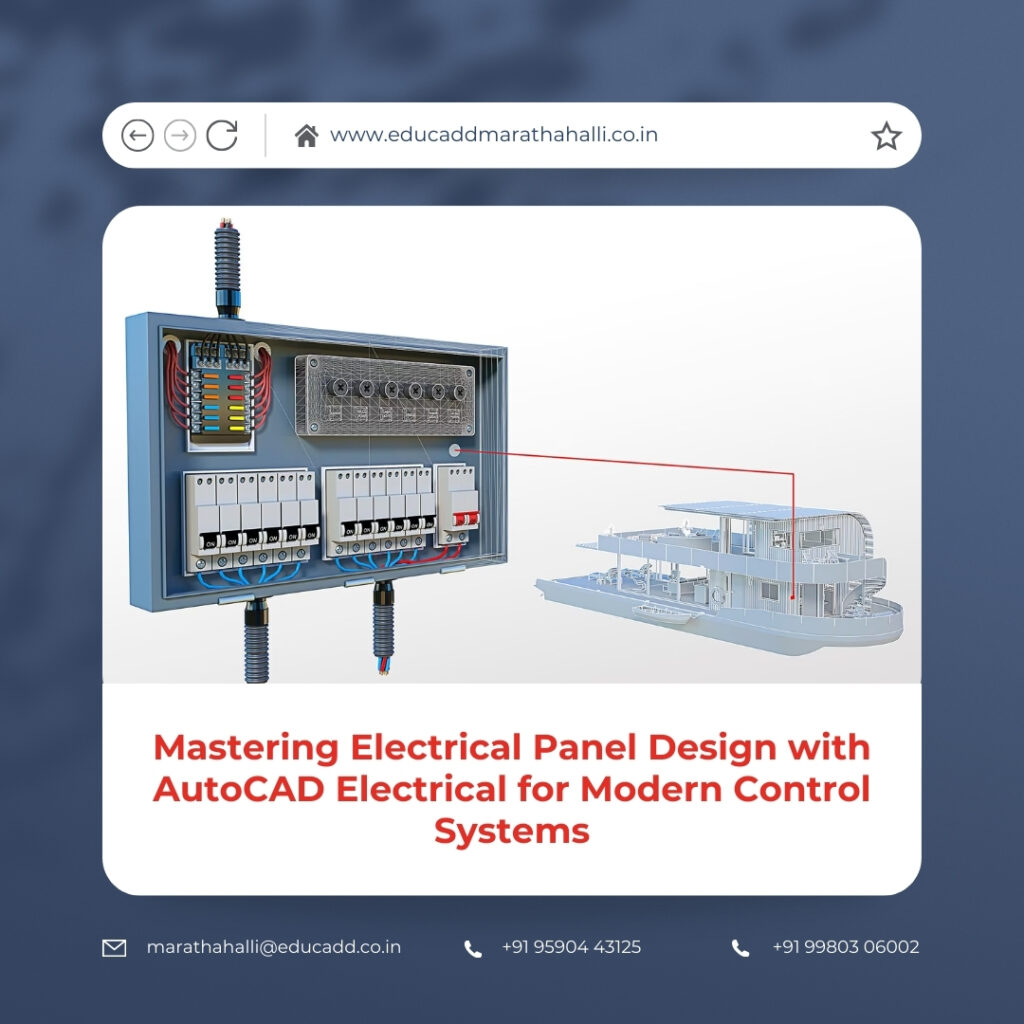
Electrical Panel Design AutoCAD
As industries adopt automation and smart technologies, the demand for precise and efficient electrical panel design continues to grow. Engineers now rely on advanced design software to manage complex electrical systems. Understanding how AutoCAD Electrical supports panel design helps professionals create reliable electrical infrastructure that meets modern engineering standards.
The Role of Electrical Panels in Industrial and Commercial Systems
Electrical Panel Design AutoCAD function as centralized control units that manage the flow of electricity within a facility or machine. These panels contain various components, including circuit breakers, relays, contactors, switches, and control modules. Each component performs a specific role in distributing electrical power and protecting equipment from electrical faults.
In industrial environments, electrical panels control machinery, production equipment, and automated systems. They ensure that machines receive the correct power supply and that protective devices shut down the system when abnormal conditions occur. Without well-designed panels, equipment may suffer from electrical overloads, short circuits, or operational failures.
Commercial buildings also depend on electrical panels for efficient energy distribution. Lighting systems, heating and cooling units, elevators, and safety systems all connect to electrical panels. A well-organized panel ensures that these systems operate smoothly and remain accessible for inspection and maintenance.
The complexity of modern electrical systems requires careful design planning. Engineers must consider electrical load calculations, component arrangement, safety clearances, and wiring paths. Poor design decisions may create overheating issues, maintenance difficulties, or safety hazards.
Electrical panel design using AutoCAD Electrical helps engineers manage these challenges by providing tools that simplify layout planning and schematic creation. With digital design capabilities, engineers can create structured and reliable electrical systems that support both industrial and commercial operations.
Overview of AutoCAD Electrical Software
AutoCAD Electrical is a professional design platform developed specifically for electrical control system design. While the traditional AutoCAD software focuses on general drafting tasks, AutoCAD Electrical introduces intelligent features designed for electrical engineering applications.
One of the most notable capabilities of this software is its extensive library of electrical symbols. These symbols represent electrical components such as switches, relays, motors, sensors, and controllers. Designers can insert these components into their drawings quickly, ensuring that schematics follow recognized engineering standards.
Another major advantage of AutoCAD Electrical lies in its intelligent wiring system. When designers connect electrical components, the software automatically manages wire numbering and connection tracking. This automation reduces the risk of labeling errors and ensures that every connection remains consistent across multiple drawings.
The software also integrates schematic diagrams with panel layout designs. Engineers can design logical circuits first and then translate those circuits into physical panel arrangements. This integration eliminates inconsistencies between electrical diagrams and panel configurations.
Electrical Panel Design AutoCAD using becomes more efficient because the software manages repetitive drafting tasks automatically. Engineers can focus on system functionality and optimization rather than spending time on manual documentation.
Advantages of Digital Panel Design Compared to Manual Drafting
Manual drafting once served as the primary method for creating electrical panel drawings. However, this approach required significant time and careful attention to detail. Designers had to draw every symbol, connection, and label manually. Any modification in the design meant redrawing large portions of the diagram.
Digital panel design tools dramatically improve this process. With AutoCAD Electrical, engineers can insert standardized components, duplicate circuits, and update designs instantly. These capabilities reduce the time required to produce complex electrical drawings.
Another benefit of digital design is improved accuracy. Manual drafting often leads to inconsistencies, especially when multiple drawings represent the same electrical system. Digital tools maintain connections automatically and update references whenever changes occur.
Documentation also becomes easier when using modern design software. Reports such as wire lists, component schedules, and bill of materials can be generated automatically. This automation ensures that documentation remains synchronized with the design.
Electrical panel design using AutoCAD Electrical offers significant advantages in productivity, accuracy, and documentation management. These benefits allow engineering teams to complete projects faster while maintaining high design quality.
Creating Structured Electrical Schematics
Electrical schematics represent the logical relationships between components in an electrical system. These diagrams show how devices connect and interact within the circuit. Accurate schematics are essential because they guide the construction and operation of electrical panels.
In AutoCAD Electrical, designers begin by selecting appropriate components from the symbol library. They place these symbols in the drawing workspace and connect them using intelligent wiring tools. The software tracks connections automatically and ensures that wires attach correctly to components.
The system also assigns unique identifiers to each component. These tags allow engineers and technicians to identify devices easily within the schematic and the physical panel layout. Clear labeling simplifies installation, testing, and troubleshooting.
Designers often need to replicate similar circuits within a project. AutoCAD Electrical allows them to copy existing circuits instead of drawing them again. This feature saves time and ensures consistent circuit design across multiple panels.
Electrical Panel Design AutoCAD results in well-structured schematics that remain easy to read and modify. These organized diagrams serve as the foundation for accurate panel layouts and reliable electrical systems.
Developing Efficient Panel Layout Designs
After completing the schematic design, engineers must translate the logical circuit into a physical panel layout. This stage determines how electrical components will be arranged inside the panel enclosure.
Panel layout design requires careful consideration of several factors. Engineers must ensure that components remain accessible for maintenance and inspection. They also need to maintain proper spacing to allow airflow and prevent overheating.
AutoCAD Electrical includes tools that assist designers in creating accurate panel footprints. These footprints represent the physical dimensions of each component. Designers can arrange components within the panel while maintaining realistic spacing and alignment.
The software also supports alignment and positioning tools that help maintain organized layouts. These tools allow designers to create professional panel drawings that follow industry standards.
Electrical panel design using AutoCAD Electrical ensures that panel layouts remain consistent with schematic diagrams. When engineers reference both views, they can verify that every connection and component placement matches the design.
Managing Electrical Wiring with Precision
Wiring represents one of the most complex aspects of electrical panel design. Hundreds of wires may connect components within a single panel. Each wire must be labeled correctly and routed efficiently to prevent confusion during installation and maintenance.
AutoCAD Electrical simplifies wire management through intelligent automation. The software automatically assigns wire numbers when designers create connections between components. This process eliminates the need for manual numbering and reduces errors.
The system also tracks wire connections across multiple drawings. When designers modify a circuit, the software updates the wire information instantly. This feature ensures that documentation remains accurate even after design revisions.
Wire list reports provide detailed information about each wire used in the panel. These reports include wire numbers, start points, and termination locations. Technicians rely on these lists when assembling and testing the panel.
Electrical panel design using AutoCAD Electrical ensures that wiring documentation remains organized and easy to understand. This clarity reduces installation errors and speeds up maintenance tasks.
Reducing Engineering Errors Through Automation
Electrical panel design demands a high level of precision. Even a small mistake in wiring or labeling can cause system malfunctions or safety risks. Identifying these errors early in the design phase prevents costly corrections later.
AutoCAD Electrical includes automated error-checking tools that help designers maintain accuracy. The software scans drawings to detect issues such as duplicate wire numbers, missing references, or incorrect component connections.
When the system identifies a potential problem, it alerts the designer immediately. Engineers can correct the issue before finalizing the design. This proactive approach significantly improves design reliability.
Standardized component libraries also contribute to error reduction. Designers use predefined symbols and templates that follow industry conventions. This consistency reduces confusion and ensures that diagrams remain clear.
Electrical Panel Design AutoCAD benefits from these automated checks because they maintain design integrity and reduce the likelihood of costly engineering mistakes.
Enhancing Collaboration Across Engineering Teams
Large electrical projects often involve multiple professionals working together. Electrical engineers, mechanical designers, project managers, and manufacturing specialists must coordinate their efforts to deliver a successful project.
Effective collaboration requires clear documentation and organized design files. AutoCAD Electrical supports project-based design structures that allow teams to manage multiple drawings within a single project environment.
Engineers can easily share drawings and update designs as the project evolves. When one designer modifies a component or circuit, the changes reflect throughout the project files.
Version management also helps prevent confusion when multiple team members work on the same design. Teams can track updates and maintain a clear history of design revisions.
Electrical panel design using AutoCAD Electrical improves collaboration by providing a centralized environment where engineering teams can work efficiently and communicate design information clearly.
Automating Documentation and Reports
Electrical design projects generate large amounts of documentation. These documents include component lists, wiring diagrams, terminal schedules, and equipment specifications. Preparing these documents manually requires considerable time and effort.
AutoCAD Electrical simplifies documentation by generating reports automatically. Designers can create bill of materials reports that list every component used in the panel. This information helps procurement teams order the correct parts.
Wire lists and terminal plans also support panel assembly and testing. These documents guide technicians as they connect wires and verify circuit functionality.
Another advantage of automated reporting is accuracy. Since reports derive directly from the design data, they always match the current version of the drawing.
Electrical panel design using AutoCAD Electrical ensures that documentation remains consistent and up to date throughout the entire project lifecycle.
Ensuring Compliance with Electrical Standards
Electrical panel designs must comply with strict safety regulations and industry standards. These standards ensure that electrical systems operate safely and protect both equipment and personnel.
AutoCAD Electrical supports international electrical standards by providing standardized symbols and design templates. Engineers can create drawings that align with recognized engineering practices.
Following industry standards also improves communication among professionals. When diagrams follow familiar conventions, technicians and engineers can interpret them quickly.
Electrical panel design using AutoCAD Electrical helps organizations maintain compliance with safety regulations and professional engineering guidelines. This compliance reduces risks and ensures reliable system performance.
Increasing Efficiency in Electrical Engineering Projects
Engineering companies constantly seek ways to improve productivity while maintaining high-quality designs. Efficient design workflows allow organizations to deliver projects faster and remain competitive.
AutoCAD Electrical enhances efficiency by automating repetitive tasks. Designers can insert symbols, duplicate circuits, and generate reports quickly. These capabilities reduce the time spent on manual drafting activities.
Template-based design also accelerates project development. Engineers can reuse proven circuit designs in new projects, ensuring consistency and saving valuable time.
Electrical Panel Design AutoCAD significantly improves project efficiency. By reducing manual effort and simplifying documentation, the software allows engineers to focus on solving complex engineering challenges.
Applications of Electrical Panel Design in Modern Industries
Electrical panels support a wide range of industries. Manufacturing plants rely on control panels to manage automated production lines and robotic systems. These panels coordinate sensors, motors, and controllers to ensure efficient production.
Energy industries also depend on electrical panels for power distribution and monitoring systems. These panels regulate electrical flow in power generation and distribution networks.
Commercial facilities use electrical panels to control lighting systems, HVAC equipment, and security systems. Proper panel design ensures that these systems operate reliably and remain easy to maintain.
Automation and smart technology continue to increase the complexity of electrical systems. Engineers must design panels that integrate digital controllers, communication modules, and monitoring devices.
Electrical panel design using AutoCAD Electrical provides the tools needed to handle these advanced systems and support modern industrial operations.
Future Developments in Electrical Panel Design Technology
Electrical engineering continues to evolve as digital technology advances. Design tools are becoming more integrated with simulation software, manufacturing systems, and industrial automation platforms.
Future design workflows may include deeper integration between electrical and mechanical design environments. Engineers may simulate electrical systems before building physical panels, allowing them to identify potential issues early.
Cloud-based collaboration platforms will also play a larger role in engineering projects. Designers located in different regions will be able to collaborate on the same project files in real time.
Electrical panel design using AutoCAD Electrical will likely continue evolving to support these technological advancements. As engineering challenges become more complex, intelligent design tools will remain essential for creating reliable electrical systems.
Conclusion
Electrical panels form a critical part of modern electrical infrastructure. They manage power distribution, protect equipment, and coordinate the operation of electrical systems across industries. Designing these panels requires careful planning, accurate documentation, and efficient collaboration among engineering teams.
Traditional drafting methods often slow down the design process and increase the risk of errors. Modern design tools provide a more effective approach by automating repetitive tasks and maintaining consistent documentation.
Electrical Panel Design AutoCAD offers powerful capabilities that simplify schematic creation, panel layout planning, and wiring documentation. The software improves accuracy through automated checks and standardized symbol libraries while also generating essential project reports.
These capabilities enable engineers to design electrical panels faster and with greater precision. As industries continue adopting automation and advanced technologies, the importance of efficient electrical design tools will continue to grow.
By combining engineering expertise with intelligent software solutions, organizations can develop electrical panels that support reliable operations, improve system safety, and meet the demands of modern technological environments.

