
Elevate Interior Designs with 3D Visualization & Rendering
In today’s interior design industry, creating realistic and immersive visuals is no longer optional; it’s essential. The ability to 3D Interior Design Visualization enables designers, architects, and students to showcase concepts before execution. From residential apartments to commercial spaces, 3D visualization bridges imagination and reality, providing clients with precise previews of textures, lighting, and spatial arrangements. This blog explores practical techniques, software, and strategies to excel in this transformative skill.
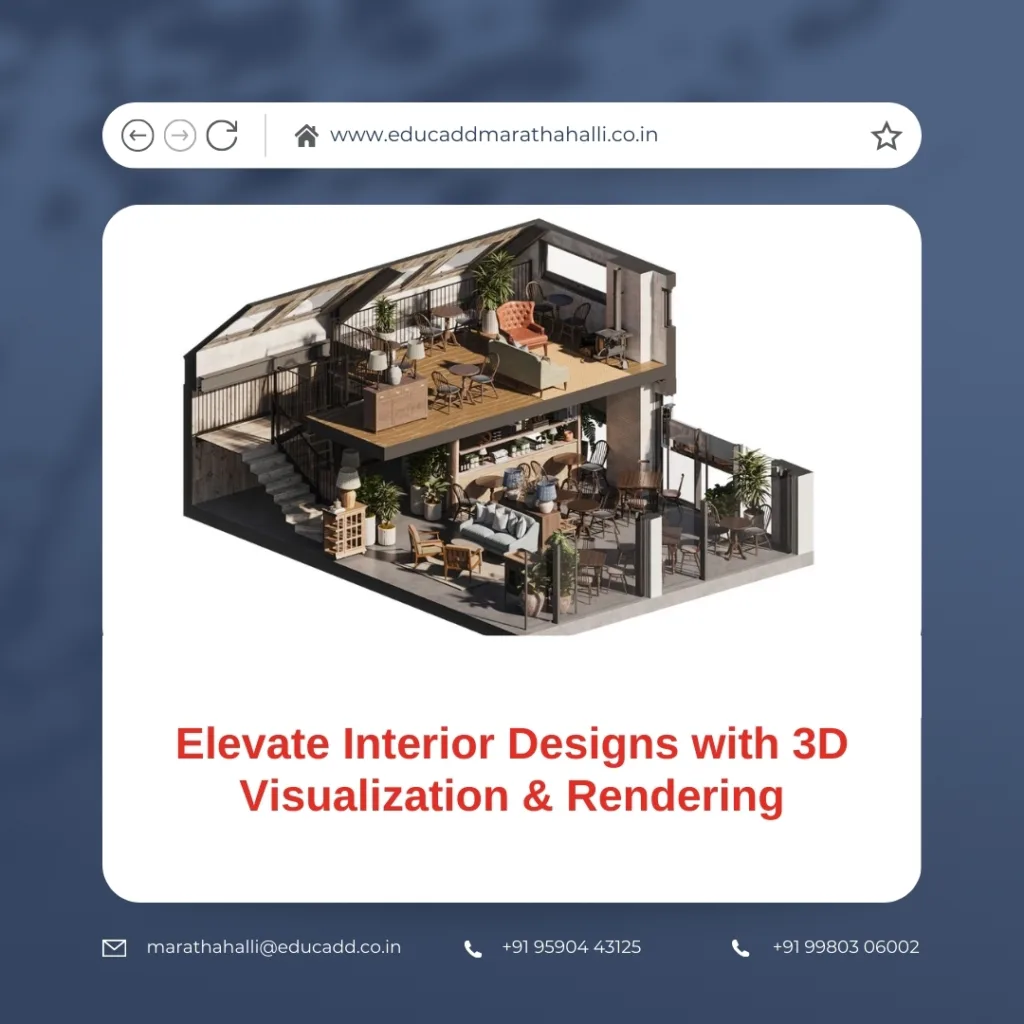
3D Interior Design Visualization
Understanding 3D Visualization & Rendering in Interior Design
3D visualization in interior design refers to the digital representation of interior spaces using 3D software. Rendering transforms these digital models into photorealistic images, showcasing materials, lighting, and shadows. For interior projects, this combination allows designers to:
-
Preview designs before construction.
-
Experiment with materials and color schemes.
-
Present client proposals with realism.
The advantage of learning 3D visualization & rendering for interior projects lies in its accuracy. It eliminates guesswork, reduces revisions, and improves client satisfaction. Transitioning from traditional 2D sketches to 3D visualization enhances communication with stakeholders and boosts project approval rates.
Essential Software Tools for 3D Visualization
To effectively learn 3D visualization & rendering for interior projects, mastering the right software is critical. Popular tools include:
-
Autodesk 3ds Max – Renowned for modeling, animation, and rendering. It allows realistic visualization of interior spaces with V-Ray integration.
-
SketchUp – User-friendly and suitable for beginners. SketchUp simplifies modeling and can export designs for further rendering.
-
Blender – Free and versatile, Blender supports modeling, texturing, and photorealistic rendering.
-
V-Ray – A powerful rendering engine compatible with multiple 3D modeling platforms. It ensures photorealism in lighting, reflections, and textures.
-
Lumion – Specially designed for architects and interior designers. Lumion provides real-time rendering and immersive walkthroughs.
Transitioning between these tools may initially seem challenging. However, consistency in practice allows designers to leverage multiple software platforms efficiently, making project presentations more dynamic and interactive.
Techniques to Enhance Realism in Interior Projects
Achieving realism requires more than mastering software; it demands a keen understanding of lighting, textures, and spatial composition. Techniques include:
-
Accurate Lighting Setup – Use natural and artificial light sources effectively. Correct shadows and reflections make renders believable.
-
High-Quality Textures – Select materials that replicate real-life finishes, from wood grains to fabric weaves.
-
Camera Angles & Perspectives – Adjust camera viewpoints to highlight the design’s best features.
-
Post-Processing – Use tools like Photoshop for final touches, enhancing contrast, saturation, and sharpness.
When designers learn 3D visualization & rendering for interior projects, they develop the ability to communicate their vision clearly. Realistic renders allow clients to make informed decisions, ultimately reducing time and cost during the construction phase.
Workflow for Interior Visualization Projects
A structured workflow ensures consistency and efficiency. Here is a recommended process:
-
Concept Development – Begin with sketches or mood boards. Establish design objectives and client preferences.
-
Modeling – Create accurate 3D models of furniture, walls, and accessories. Maintain proper scale.
-
Material Application – Assign textures and materials to every object for realism.
-
Lighting Design – Experiment with daylight, artificial lights, and ambient settings.
-
Rendering & Review – Generate high-quality images and conduct iterative reviews for adjustments.
-
Client Presentation – Use renders and walkthroughs to communicate design intent effectively.
Following this workflow ensures that every project aligns with the client’s vision. Designers can experiment with multiple iterations digitally, which would be costly in physical setups.
Benefits of Learning 3D Visualization & Rendering
The advantages of acquiring this skill extend beyond aesthetics:
-
Improved Project Efficiency – Reduces errors during construction by visualizing potential issues.
-
Enhanced Client Communication – Clients can understand complex interior layouts without technical jargon.
-
Competitive Edge – Designers proficient in 3D visualization attract more projects and gain recognition.
-
Creative Exploration – Allows experimentation with materials, colors, and lighting without additional costs.
-
Portfolio Development – High-quality renders strengthen professional portfolios, opening career opportunities.
By focusing on these benefits, professionals can see measurable growth in both productivity and client satisfaction.
Learning Resources and Tips for Mastery
To learn 3D visualization & rendering for interior projects effectively, consider:
-
Online Courses – Platforms like Udemy, Coursera, and EduCADD provide structured learning paths.
-
Practice Projects – Start with small residential interiors before moving to commercial spaces.
-
Community Engagement – Participate in forums and online communities to gain feedback and insights.
-
Tutorials & Webinars – Leverage free and paid tutorials to stay updated on new techniques.
-
Regular Updates – Software updates often introduce new tools and rendering improvements.
Consistency and hands-on practice are the keys. Even spending 1–2 hours daily on modeling and rendering dramatically enhances proficiency over time.
Future Trends in Interior Visualization
The future of interior design is intertwined with digital technology. Emerging trends include:
-
Real-Time Rendering – Immediate visualization with tools like Unreal Engine.
-
Virtual Reality Integration – Clients can experience designs immersively in VR spaces.
-
AI-Powered Design Tools – AI assists in generating realistic textures and automatic lighting adjustments.
-
Sustainable Material Simulations – Digital prototypes help assess material sustainability and performance.
Staying updated with these trends ensures that designers maintain relevance and can offer cutting-edge solutions to clients.
Conclusion
3D Interior Design Visualization & rendering for interior projects is no longer just an optional skill—it’s a professional necessity. By combining technical proficiency with creative insight, designers can create realistic, client-ready interior designs that save time, reduce costs, and enhance communication. Mastering software, applying realistic techniques, and following structured workflows enables professionals to elevate every interior project, leaving a lasting impact on clients and the design community.
Investing time and effort in learning these skills today ensures a competitive advantage in the ever-evolving field of interior design.

