
Engineering in Motion: Redefining Design Precision with SolidWorks Simulation
Modern engineering has evolved far beyond creating models that only look good on paper. The focus today lies in understanding how products move, function, and perform before they reach the production floor. This transformation is possible because of one revolutionary tool — SolidWorks Simulation Precision Design.
This advanced simulation environment bridges the gap between imagination and engineering accuracy. It enables designers and mechanical engineers to visualize movement, analyze forces, and predict performance — all within a digital prototype. Whether it’s a robotic arm, an engine assembly, or a conveyor mechanism, SolidWorks Simulation ensures your design isn’t just structurally sound but dynamically efficient.
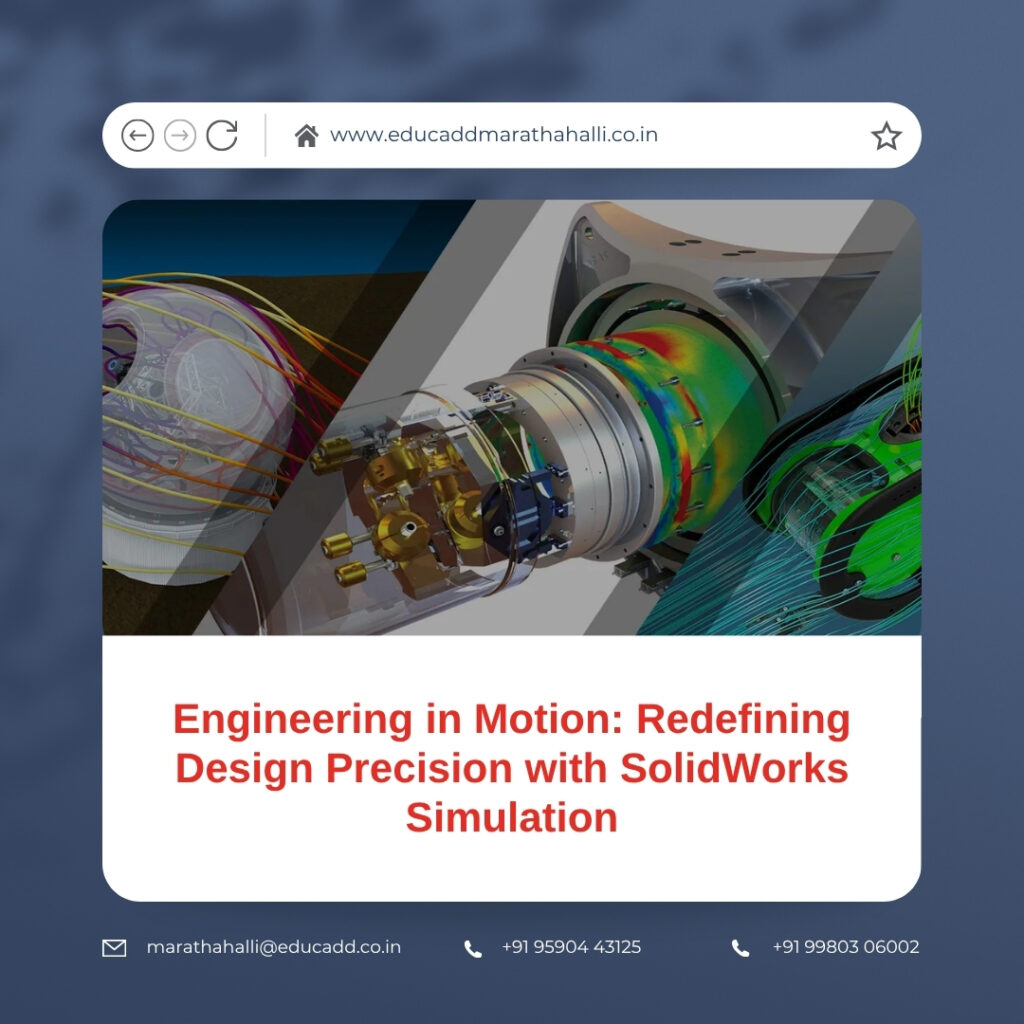
SolidWorks Simulation Precision Design
In this article, we’ll explore the complete spectrum of Motion Analysis — from its core principles to its real-world impact — and see how it empowers engineers to design smarter, faster, and more effectively.
1. What is Motion Analysis in SolidWorks Simulation?
At its essence, SolidWorks Simulation Precision Design is a physics-based tool that allows engineers to simulate the real-world movement of assemblies. Unlike simple animations that only display movement visually, Motion Analysis integrates mechanical principles and engineering data to represent how parts actually behave when forces act upon them.
Each simulation considers essential real-world parameters — mass, friction, gravity, torque, damping, and contact forces — to ensure that the movement you see on screen mirrors what happens in reality. This enables engineers to understand dynamic performance, detect design flaws early, and optimize systems for higher efficiency.
For instance, imagine testing a gearbox. Motion Analysis helps you visualize the rotation of gears, measure torque transfer, detect interference, and even evaluate vibration under different speeds — all virtually. The outcome is actionable insight that improves both design quality and manufacturing precision.
Why Motion Analysis is a Game-Changer
-
Offers precise, physics-driven insight into assembly behavior.
-
Detects interferences and inefficiencies before production begins.
-
Saves time, materials, and costs by minimizing physical prototypes.
-
Helps create smoother, longer-lasting, and more reliable designs.
By shifting analysis from the workshop to the computer screen, SolidWorks turns traditional trial-and-error engineering into data-backed innovation.
2. The Core Working Principles of Motion Analysis
Motion Analysis works by applying the fundamental laws of motion and mechanics — Newton’s and Euler’s equations — to your 3D model. SolidWorks uses these to calculate how each part of an assembly behaves when subjected to loads and constraints.
a. Types of Motion Studies
SolidWorks offers three types of motion studies, each serving a unique purpose:
-
Animation: Focuses on simple movement visuals without physics.
-
Basic Motion: Simulates rigid-body motion using approximate physical effects.
-
Motion Analysis: Performs high-accuracy, physics-based simulations using a sophisticated solver for realistic results.
Among the three, Motion Analysis stands out as the most comprehensive and reliable method for engineering validation.
b. Key Components of an Analysis
Several critical elements drive accurate simulation:
-
Joints and Mates: Define how parts connect and move relative to one another.
-
Forces and Motors: Introduce external influences like torque, gravity, or acceleration.
-
Material Data: Determines mass and inertia properties.
-
Contact Conditions: Define how surfaces interact or collide.
-
Constraints and Springs: Represent real-life mechanical limitations.
These factors allow engineers to simulate motion as close to real life as possible — without building physical prototypes.
c. Measuring the Results
Once a simulation runs, SolidWorks generates data that provides detailed motion insights:
-
Linear and angular velocity
-
Acceleration at any given point
-
Contact forces and reaction loads
-
Energy consumption and friction effects
Engineers can study these results through graphs, plots, or 3D animations, making it easy to fine-tune designs for peak performance.
3. Where Motion Analysis Makes the Difference
The impact of Motion Analysis with SolidWorks Simulation spans multiple industries. Its ability to model mechanical behavior with precision makes it invaluable in both product design and large-scale manufacturing.
a. Automotive and Mechanical Design
In automotive systems, motion simulation helps engineers test suspension geometry, transmission systems, and steering mechanisms before building physical prototypes. This reduces development costs and enhances vehicle reliability.
b. Robotics and Automation
For robotic systems, precision movement is everything. Motion Analysis helps evaluate joint rotations, path accuracy, actuator loads, and cycle times. Engineers can simulate how robots will perform repetitive tasks, ensuring stability and efficiency in automation environments.
c. Aerospace and Industrial Equipment
Aircraft mechanisms and industrial machinery involve complex moving assemblies. SolidWorks Simulation helps simulate the impact of aerodynamic forces, vibrations, and fatigue, ensuring safety and longevity even under extreme conditions.
d. Consumer Products
In products like folding smartphones, adjustable furniture, or wearable gadgets, motion simulation ensures smooth operation, durability, and ergonomic comfort. It enables designers to predict hinge fatigue or spring tension over time, leading to improved user experience.
Through all these applications, Motion Analysis empowers engineers to make better decisions early — minimizing costly redesigns and enabling continuous innovation.
4. How to Perform Motion Analysis in SolidWorks: A Step-by-Step Guide
Understanding the process of running a motion study is essential for maximizing the benefits of SolidWorks Simulation. Below is a simplified workflow that engineers follow to achieve accurate results.
Step 1: Build or Import Your Assembly
Begin by creating your model or importing an existing assembly into SolidWorks. Ensure that all mates (constraints) accurately reflect the intended movement between parts.
Step 2: Create a Motion Study
Switch to the Motion Study tab at the bottom of the interface. Choose Motion Analysis from the available options to enable the physics-based solver.
Step 3: Define Motors and Motion Drivers
Add rotary or linear motors, specify speed or acceleration, and select which components they’ll act upon. These drivers replicate the real-world sources of movement.
Step 4: Apply Forces and Environmental Effects
Introduce forces such as gravity, external loads, or spring effects. Material properties like mass and density should be correctly assigned to ensure physical accuracy.
Step 5: Include Contact Conditions
If parts come into contact or slide against one another, apply appropriate contact constraints to simulate friction, collision, or impact behaviors.
Step 6: Run the Simulation
Once all parameters are set, click Calculate. SolidWorks Simulation computes motion paths, force interactions, and energy variations across your assembly.
Step 7: Analyze the Results
After completion, visualize the movement or export data to graphs. Examine acceleration peaks, torque curves, and force reactions to detect inefficiencies or potential failures.
Step 8: Refine and Optimize
Based on insights, adjust design dimensions, mass distribution, or joint types. Rerun simulations until the desired motion and performance metrics are achieved.
This step-by-step process transforms a static model into a dynamic, functional prototype — giving engineers total control over design motion before manufacturing even begins.
5. Advantages and Future Scope of Motion Analysis
The integration of Motion Analysis with SolidWorks Simulation delivers a competitive edge for engineers and organizations alike. Let’s explore how it reshapes modern design and where it’s headed in the future.
a. Comprehensive Design Validation
SolidWorks provides an environment where engineers can visualize actual performance. It helps confirm that every moving part operates smoothly and efficiently under realistic conditions.
b. Reduced Costs and Faster Development
By simulating motion early, teams can eliminate multiple prototype iterations. This approach accelerates project timelines and significantly reduces manufacturing expenses.
c. Optimized Performance and Safety
Through detailed force and acceleration data, engineers can reinforce weak components, reduce wear, and improve system stability — leading to safer, longer-lasting designs.
d. Collaboration and Innovation
SolidWorks Simulation integrates easily with other design tools, enabling engineers, designers, and manufacturers to collaborate on shared motion data. This encourages faster decision-making and innovation across departments.
e. The Future of Motion Simulation
The future of engineering motion is evolving rapidly. With the rise of cloud computing, AI integration, and real-time simulation, SolidWorks Motion Analysis is becoming even more powerful. Engineers will soon simulate designs collaboratively across platforms, predict outcomes using artificial intelligence, and visualize motion in augmented reality — all before a single prototype is made.
As industries move toward digital twin technology, motion simulation will play a crucial role in optimizing every product’s life cycle — from concept and testing to manufacturing and maintenance.
Conclusion: From Concept to Kinetic Perfection
SolidWorks Simulation Precision Design is more than just a digital testing tool — it’s a design revolution. It empowers engineers to transform static 3D models into fully functional, data-driven virtual prototypes that behave exactly like real-world assemblies.
By combining accuracy, efficiency, and visualization, this technology not only improves product quality but also enhances the entire design process. Engineers can foresee problems, optimize performance, and deliver innovation faster than ever before.
In an age where every movement matters, SolidWorks Simulation ensures your designs don’t just exist — they perform flawlessly in motion. Whether you’re shaping the next industrial robot or crafting consumer innovations, mastering motion analysis will keep your designs dynamic, reliable, and future-ready.

